DuckDB vs Pandas
DuckDB vs Pandas
EDA on a 1.2GB NYC Taxi dataset
pd.read_csv()took 70+ seconds.- A simple groupby pushed RAM to 11GB. Then Jupyter died. That’s when I switched to DuckDB
- Total time: 12 minutes instead of 3 hours
Fuente (requiere suscripción): Medium 2026
The Problem: Why Pandas Struggles With Large CSVs
Pandas is powerful, but:
- It eagerly loads the entire file into memory
- Most operations are single-threaded
- No query optimizer
- Groupbys + joins explode RAM
A 1GB CSV often becomes 8–12GB in memory due to dtype expansion. That’s fine for 50MB datasets. It’s not fine when you move to real-world data
What DuckDB Does Differently
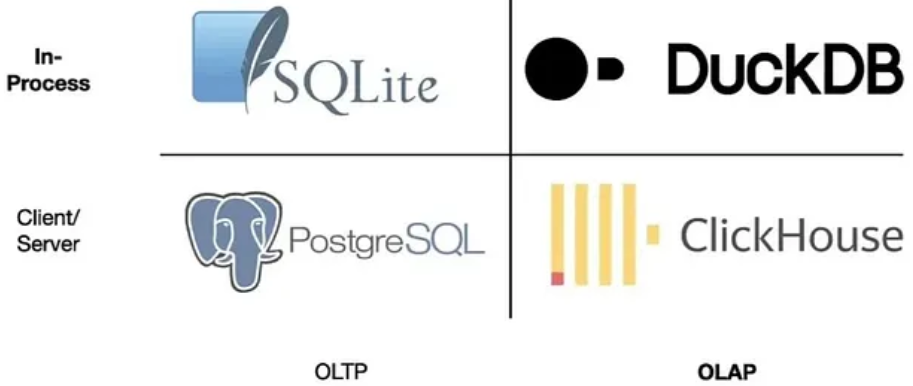
DuckDB is an embedded analytical database (think SQLite, but for analytics)
Key difference
Instead of loading the entire CSV → It scans only the columns and rows your query actually needs
It uses:
- Columnar execution
- Vectorized processing
- Multi-core parallelism
- Cost-based query optimization
Translation: It behaves like a mini Data Warehouse inside your laptop
Install & Run in 60 Seconds
pip install duckdb
Now query a Parquet file directly from a URL. No download. No DataFrame
import duckdb
result = duckdb.sql("""
    SELECT
        PULocationID,
        AVG(fare_amount) AS avg_fare,
        COUNT(*) AS trips
    FROM 'https://d37ci6vzurychx.cloudfront.net/trip-data/yellow_tripdata_2024-01.parquet'
    WHERE fare_amount BETWEEN 3 AND 100
    GROUP BY 1
    ORDER BY avg_fare DESC
    LIMIT 10
""")
fdf = result.df()
print(df)
Execution time on my M1 (10M rows): ~2 seconds
No 5GB memory spike. No crash
[Benchmark Report]File Size: 500MB CSVRows: ~10,000,000Hardware: Apple M1 | 16GB RAM
1) Filter + AVG
Pandas: 23s
DuckDB: 1.8s
Speedup: 12x
2) GROUP BY SUM
Pandas: 89s
DuckDB: 6.2s
Speedup: 14x
3) JOIN (Trips + Zones)
Pandas: OOM (crashed)
DuckDB: 11s
Speedup: ∞
4) Rolling Window
Pandas: 156s
DuckDB: 9s
Speedup: 17x
5) Export to Parquet
Pandas: 45s
DuckDB: 4s
Speedup: 11x
Replacing Your Pandas EDA Workflow
Instead of:
import pandas as pd
df = pd.read_csv("taxi.csv")
Do:
con = duckdb.connect()
con.sql("""
    CREATE OR REPLACE VIEW clean_trips AS
    SELECT *,
           fare_amount / trip_distance AS fare_per_km,
           DATE_TRUNC('hour', tpep_pickup_datetime) AS pickup_hour
    FROM read_csv_auto('taxi.csv')
    WHERE trip_distance > 0
      AND fare_amount BETWEEN 2 AND 200
""")
You just:
- Cleaned data
- Engineered features
- Removed outliers
- Created reusable view
Without loading a DataFrame
Window Functions (Goodbye Rolling Lag Hell)
con.sql("""
    SELECT
        pickup_hour,
        AVG(fare_amount) AS avg_fare,
        AVG(fare_amount) OVER (
            ORDER BY pickup_hour
            ROWS BETWEEN 6 PRECEDING AND CURRENT ROW
        ) AS rolling_7h
    FROM clean_trips
    GROUP BY 1
    ORDER BY 1
""")
Cleaner than Pandas .rolling(). More scalable. More readable
Where DuckDB Fits in 2026 Data Stack
Use Pandas when:
- Dataset < 10MB
- Quick prototyping
- Notebook exploration
Use DuckDB when:
- CSV > 100MB
- Multi-table joins
- Time-series windows
- Memory starts sweating
Hybrid approach wins:
Prototype → scale in DuckDB → export to Parquet → model.
Common Mistakes I Made
- Tried updating rows like Pandas → slow.
UseCREATE TABLE AS SELECTinstead. - Ignored
EXPLAIN ANALYZE.
DuckDB shows execution plans. Use it. - Forgot Parquet exists.
CSV is storage from 1998. Parquet is 2026.